
Cochise County Court Calendars Explained
No one master schedule lists every hearing in the county. Cochise County Superior Court runs its own calendar, and the six Justice Courts each run theirs. Municipal courts set their own matters. The court named in the case controls. Where does a hearing actually show up? It may surface in the newest case event or the newest minute entry on the docket. It may appear on an online calendar, or in the notice and order served on the parties. Court staff can also check an internal schedule by phone. The Cochise County calendar page offers one local entry point into these schedules.
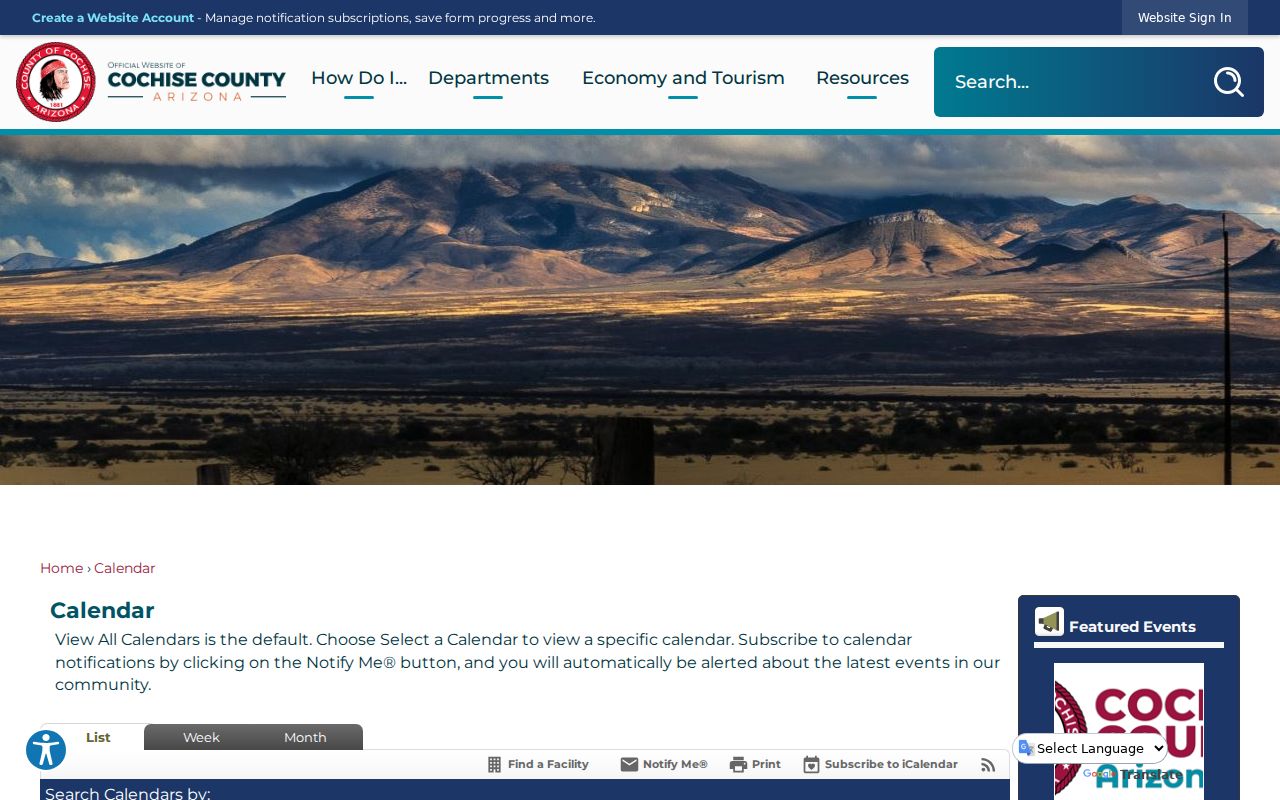
A county event listing is only helpful once you can tell a true judicial calendar apart from other county events. Match the case number and court first. Then read the newest entry that carries a date. An older one may no longer govern. A published setting can include the case number or style. It may also list the courtroom, the judge, and the type of hearing. The exact display varies by court. That is why the served notice still matters. A direct call to the court matters most.
Four Cochise County Court Date Sources
The same Cochise County hearing can sit in four places at once. They are not equally current. The practical order is simple. The newest served notice or order comes first. Then comes the latest minute entry, followed by the official court calendar. Finally comes confirmation straight from the court. Public Access helps you find the case at all. But it publishes weekly. That makes it a weak lone source when a hearing is days away.
| Source | What it supplies | Main caution |
|---|---|---|
| Notice or order | The date and appearance instructions served in the case | A later order may replace it |
| Minute entry | What the court set, continued, vacated, or held | Read the newest entry |
| Court calendar | The court's published daily or scheduled settings | Publication may lag a change |
| Court staff | Current courtroom and appearance confirmation | Call the court of record, not a different clerk |
What if two sources disagree? Never just pick the easier one. Ask the named court which order controls, and ask whether you must appear in person or remotely.
Finding Your Court Date
Begin with the case caption or citation. That single line tells you a lot. It shows whether the matter sits in Cochise County Superior Court, one of the six Justice Courts, or a municipal court. From there, open Arizona Public Access. Search by party name or case number, complete the CAPTCHA, and pick the exact court. Once you open Case Information, read the newest Case Events instead of grabbing the first date on the list. Old entries linger, and the bottom of the list usually holds the truth.
- Read the most recent notice or order served in the case.
- Search Public Access by name or case number and select the exact Cochise court.
- Check the newest event and use Minute Entry Search for the written entry when available.
- Review the named court's calendar or courthouse posting if one is published.
- Call or visit the clerk or courtroom for the court of record and confirm date, time, room, and appearance method.
- Ask counsel about any later order if an attorney is handling the matter.
Superior Court questions go straight to the Cochise County Clerk of the Superior Court. The Bisbee number is 520-432-8600, and Sierra Vista is 520-803-3060. A specialized Research Office can be reached at 520-432-8635. Justice Court and municipal cases must be confirmed with whichever limited court holds them. Public computers in Bisbee and Sierra Vista offer another way to search. The same Rule 123 limits still apply.
Cochise County Court Date Minute Entries
The statewide Minute Entry Search and a court calendar answer different questions. A calendar shows appearances that are scheduled. Minute entries show what the court wrote down. They include hearings that were set, held, continued, or vacated. An entry can carry the court, case number, entry date and title. It may also hold the judicial officer, the hearing date and time, and the order text itself. The official search interface opens this separate route into Cochise County court date information.
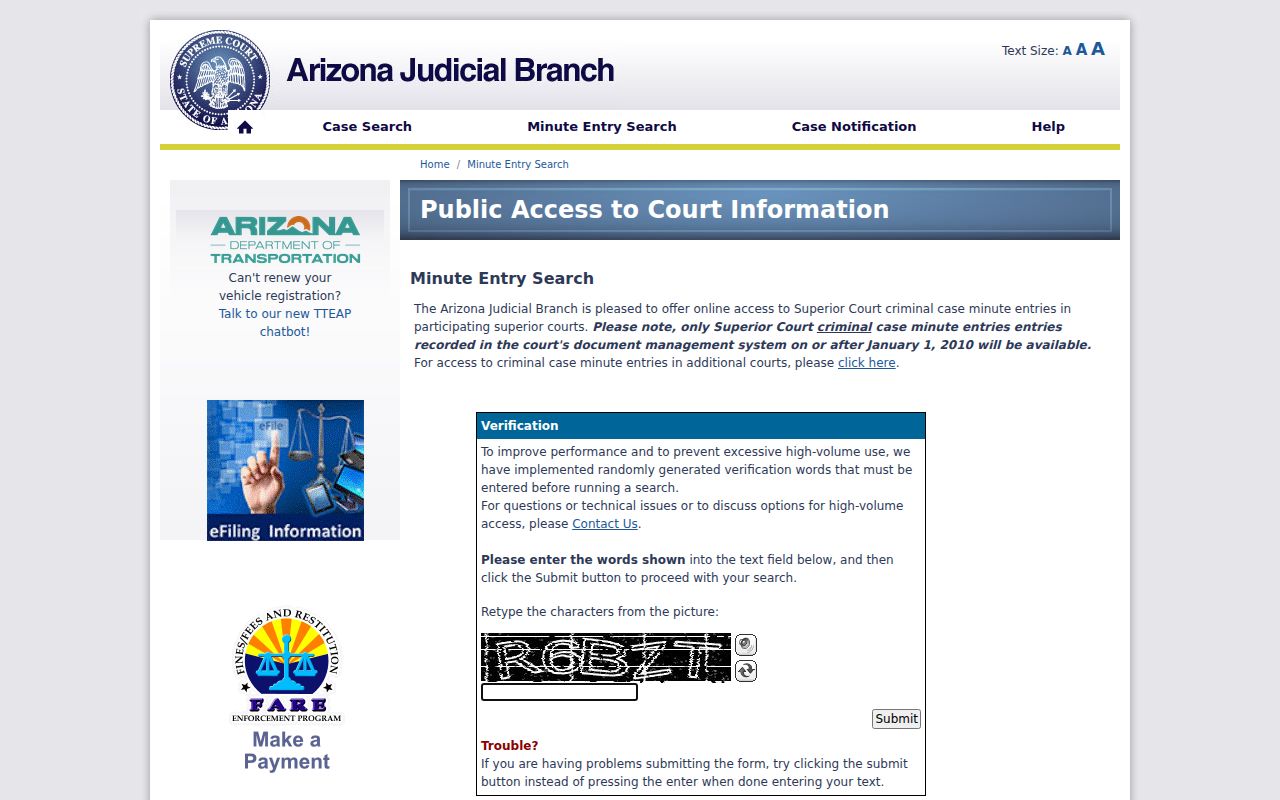
This is why the two tools split the work. A minute-entry search answers what happened at a setting. A calendar answers what comes next. The search asks for verification and the court. It also wants a case number or party name, plus optional date or year limits. Protected parties and restricted case types stay hidden. Remember that a public result is not the official court record itself.
How to Read a Court Setting
A court setting is more than a date. Match it to the right case and the right court first. Then read the time, the courtroom or location, the judicial officer, and the type of hearing. A docket-call time can differ from an assigned one. Check the notice for how you must appear. Some settings allow a remote option when it is authorized.
| Date | The scheduled day, subject to any later continuance, reset, or vacating order. |
|---|---|
| Time | The time assigned by the court, which may be a block or an individual setting. |
| Courtroom | The room, court location, or approved remote access information. |
| Judicial Officer | The judge or court assigned to the setting. |
| Setting Type | The purpose, such as initial appearance, arraignment, status conference, motion hearing, trial, sentencing, or review. |
Never guess the purpose from the date alone. An arraignment addresses a plea. A motion hearing addresses a filed request, and a status conference simply checks progress. The event title and the newest order supply that context.
Cochise County Court Calendar Verbs
Small verbs do heavy lifting in a Cochise County court calendar. Read them in chronological order, not in isolation. A case can list the original setting plus every later change, so the earliest date is often stale.
- Set
- The court placed the matter on its schedule.
- Continued
- The proceeding was moved forward to another date or left for a later setting.
- Reset
- A new date replaced the prior setting.
- Vacated
- The court removed the setting from the calendar; this does not by itself dismiss the case.
- Held
- The proceeding occurred, and a minute entry may record what followed.
When a later entry uses one of these verbs, it governs how you read the calendar. Confirm the outcome with the court if the next date is close or the entry is hard to parse.
Continuances, Resets, and Cancellations
When a hearing gets continued or reset, the old setting stays in the case history. That means an old date on a notice is no longer the one to trust. Pull the current setting. Use the later notice, the order, the minute entry, or a confirmed schedule. A vacated event may vanish from a forward-looking calendar. Yet it can still sit in Case Events. That gap is normal and says nothing about how the case ends up.
Public Access updates weekly. Friday's posting covers information through Wednesday, so a change made Thursday can lag. A hearing coming up in a few days? Call the court named in the caption. Have the case number, the party's role, and the hearing type ready. Ask if a new order was entered and whether to appear in person or remotely.
Never assume a payment wipes out an appearance. That holds unless the court says so. Payment status and calendar status live in different records. Remote-hearing instructions can change too, so check again close to the date.
Cochise County Criminal Court Date Windows
Cochise Administrative Order 2023-019 shows how local calendar blocks are built. It sets fixed initial-appearance windows for the six Justice Courts. It also sets two daily Superior Court blocks. A court can shift a specific time to honor the prompt-appearance rule after arrest. Treat the windows as context. They are not a substitute for confirming the actual case.
The order assigns each Justice Court its own block. Bisbee runs 9:30 to 10:00 a.m. Douglas starts the day at 8:30 to 9:00 a.m., and Benson follows at 9:00 to 9:30 a.m. Sierra Vista holds 10:00 to 11:30 a.m. Willcox holds 11:00 to 11:30 a.m. Bowie runs 11:30 a.m. to noon. Superior Court lists 8:30 to 9:00 a.m. and 1:30 to 2:00 p.m. It adds an 8:00 a.m. weekend and holiday block.
These windows describe process. They are not a promise that a named case will be heard at that hour. The newest notice and direct confirmation from the court control.
If You Miss a Court Setting
Call the court of record right away. Give the case number and ask what the court entered after the missed setting. If an attorney represents a party, reach out to that lawyer too. Don't wait on the weekly portal update, and don't show up at a different courthouse just because it's closer.
Act promptly: A missed criminal setting can lead to a failure-to-appear entry, warrant, bond consequence, or another order, depending on the case.
Ask the named court whether a new date exists and what filing or appearance is required.
Legal advice about a missed setting should come from a licensed attorney, not from docket shorthand.
In a civil matter, the court may go forward, enter a default-related event, dismiss a claim, or issue another order under the rules. Only the newest minute entry or signed order shows what happened.
Cochise County Court Calendar or Agenda
The county Agenda Center holds administrative public-meeting records. It is not a judicial calendar. A Board, commission, or department agenda will not reliably show Superior Court, Justice Court, or municipal case settings. Need a Cochise County court date? Use the court named on the pleading. Then try the court-calendar or case-event channels.
The two systems look alike, both built on dates, agendas, and public documents. A judicial record ties to a case number. It also carries party roles, a court, and a setting type. An administrative agenda ties to a public body and a meeting. Land on the wrong system? Go back to Public Access or the exact court's page.
For a current Cochise County court date, the safest chain is still the newest notice, the latest minute entry, the official calendar, and direct court confirmation. No county agenda should replace that sequence.